
1win promotes mobile access alongside Android, iOS and Windows options. I start by distinguishing an Android package, a store application and a website saved to the home screen. They can display a similar lobby while using different installation and update methods. For someone in Argentina, local authorization is a separate question: installing software does not establish that the service may operate in your jurisdiction.
My earlier experience helps compare navigation, game search and account handling. File sizes, releases and installation times change, so I do not present a May 2026 measurement as a current requirement. This guide explains the platform choices, the benefits I actually value and the circumstances in which I prefer the mobile browser.
Published USD₮ offer; account eligibility and rules apply.
Android: understanding the APK route
An APK is an Android installation package. I look for the operator’s application area and check that the destination and package identity match the service. A familiar name or copied logo is not enough. Before accepting anything, I read permission requests and leave the phone’s security protections enabled.
I do not publish a fixed size or minimum OS version without checking the current package. The Android APK guide distinguishes incomplete downloads from compatibility problems and explains how I handle warnings.
iPhone: an application or a web shortcut
A valid App Store listing and a Safari home-screen icon are different delivery routes. An iOS promotion on a platform does not establish that its listing is available in Argentina. A working website can be saved to the home screen; it remains a web service requiring a connection.
I do not change an account’s region to get around a restriction. The iPhone guide covers the web route and common session problems without assuming a regional store listing.
Desktop: Windows and a browser on Mac
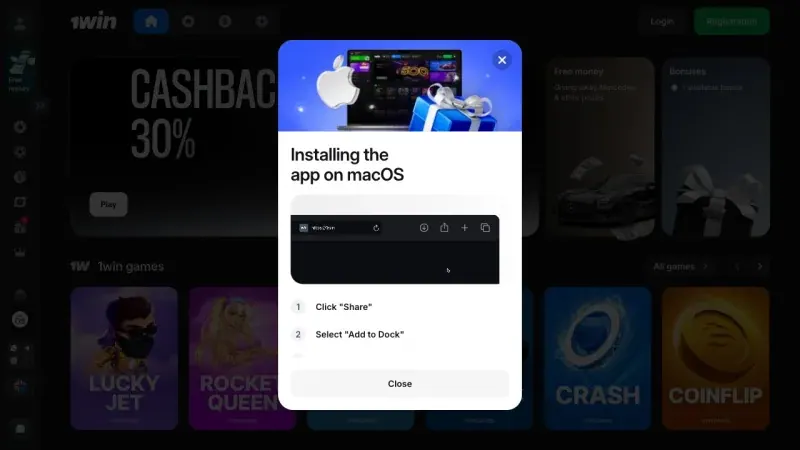
The platform advertises Windows, but I do not assign an unverified release number or publisher to its installer. On macOS, the browser allows you to inspect the interface without assuming a current native client exists. A larger screen remains useful for terms, history and detailed tables.
I choose the device around the task: desktop for reading and comparing, phone for brief checks. Installing another program does not change how a wager settles or the conditions attached to a withdrawal.
Game catalogue and loading
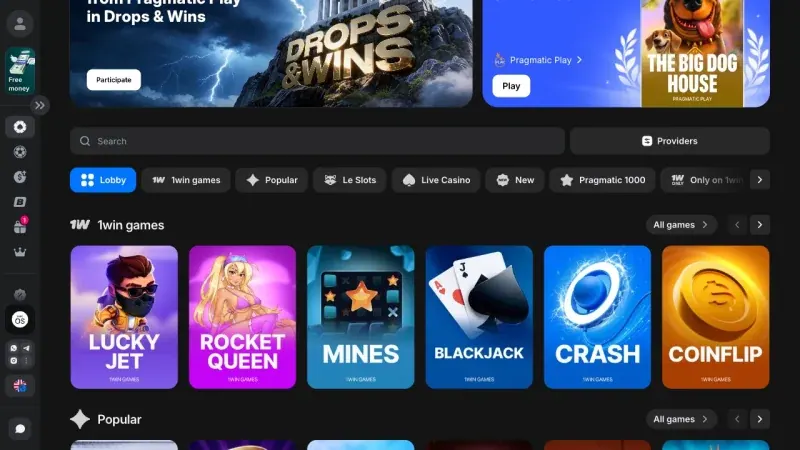
On mobile I search for both the title and provider. This helps avoid confusing games that share a similar mechanic. Lobby categories separate slots, live casino and quick games; their counters describe a category at a particular time rather than a permanent total.
Cached artwork can make a second visit feel faster. I therefore distinguish a first opening from a repeat visit. To explore the actual content, use the casino catalogue and the Aviator guide rather than choosing solely on a loading claim.
Live betting on a smaller screen
For live betting I need to read the entire market before confirming. Odds can change while I build a slip, and a market can be suspended. An app removes neither possibility and does not guarantee acceptance at an earlier price.
I check the amount, currency and final acceptance message. If a phone switches from Wi-Fi to mobile data, I inspect the account history before repeating an action: a delayed screen does not prove that the first request failed. The live betting guide follows that process in more detail.

What works well and where friction remains
Useful conveniences
- A visible home-screen entry and fewer steps back to the account.
- Search, favourites and navigation designed for a small display.
- Access to account history without moving to a computer.
Limitations I check
An externally installed package needs attention to its source and updates. An iPhone web shortcut does not imply every native-app feature. Notifications can help, but I turn off promotional alerts when they interrupt my schedule or invite me back without a deliberate decision.
App or mobile website: my decision table
| Task | Starting choice | Reason |
|---|---|---|
| Occasional visit | Browser | No extra installation. |
| Frequent access | Verified app or web shortcut | More direct entry. |
| Reading terms and account records | Computer | More space to compare. |
| Shared phone | Sign out when finished | Avoid leaving the account open. |
The delivery method does not create a different balance. When using the same account, check that you have not accidentally entered a different profile.
How I interpret my mobile testing
I separate navigation, game loading and account transactions. Opening a lobby is not a deposit test; a simulation is not evidence of a withdrawal. Historical dollar or USDT records retain their original currency rather than becoming fictional ARS operations.
For a useful repeat comparison, I would record the model, operating system, network, date and session state. Without that context, a single launch time says little. My review methodology distinguishes observation, reported experience and current terms.
Security and first account settings
I use a unique password and check access to the recovery email before installing. A request for management profiles, remote control or unexplained sensitive permissions is a reason to stop. Google recommends keeping Play Protect enabled; a warning needs investigation rather than dismissal for convenience.
After signing in, I inspect currency, limits, sessions and preferences. Before real-money use in Argentina, consult the jurisdiction-specific licence review and the conditions actually displayed in your account.
Explore the games
All Mines
Mines Dice
Dice Penalty
 Limbo
Limbo Coinflip
 Crypto Merge
A look at the catalogue

Frequently asked questions
Does the app cost money?
Downloading a client or creating a web shortcut is separate from betting. Data charges and subsequent transactions are separate matters.
Can I use it offline?
Games, balances and bets require a service connection. Installing an icon does not enable offline play.
Can an iPhone install the APK?
No. Android and iOS use different delivery methods. Follow the route for your own device.
Does the app enable Mercado Pago?
Not by itself. Methods depend on the account and available cashier; I have not confirmed that method for Argentina.
Will installation change my bonus?
Installation does not establish a special promotion. Check the terms of any offer actually shown in the account.